Easify’s SMS marketing is a two-way communication feature that allows businesses to send and receive text messages. Two-way SMS campaigns are significant for business marketing, as they have the potential to engage customers in meaningful conversations and resolve their queries.
Easify’s Chat SMS is a feature that helps businesses engage in conversations with their clients. The feature allows businesses to view the responses from customers and continue their chat. Here’s how it works-
Select Chat SMS from the side menu to view the responses from your SMS campaigns. If you click on ‘New Chat, you can start a new chat by following these simple steps-
Select Sender’s Number
Enter Recipient’s Number
Click on ‘Chat’ button to proceed.
The feature also allows users to search for a particular chat and filter the chats from a week, month, or all chat lists.
You can also filter UNREAD, BLACKLIST, SAVED, and SENT messages to make your SMS campaign more convenient and efficient.
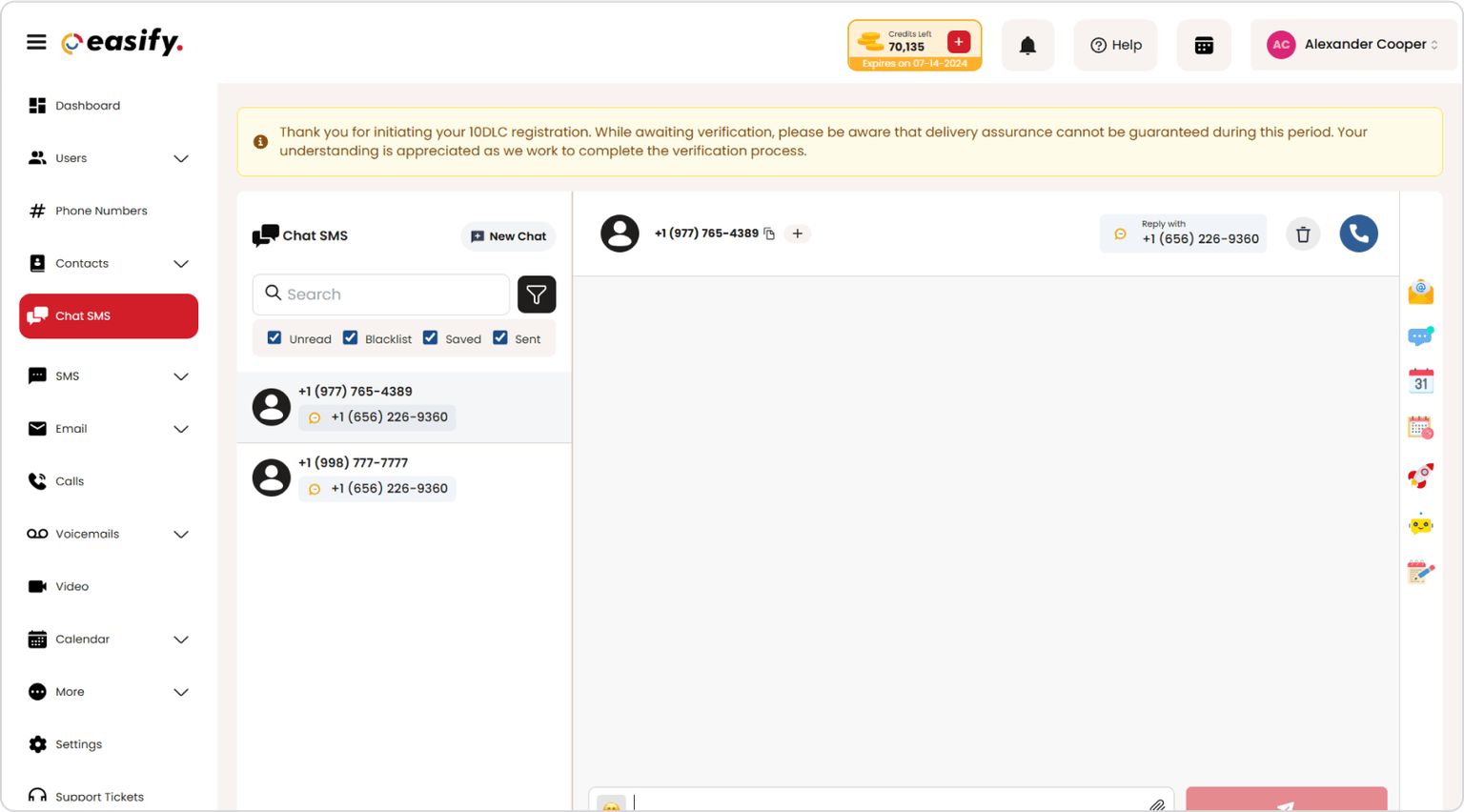
Easify’s Chat SMS feature allows users to-
View the previous call recordings (if any)
Send an email
Select SMS template
Add event to calendar
Add appointment link
Push to CRM
Push to Automation
Add note
There’s also an option to ‘generate unsubscribe text’. All you need to do is check the box placed at the bottom right corner of the screen.
Watch the video to know how to access these features.